
Key Takeaways
- Eight named AI opponents, from Goofy and Scooby up through Hard, Impossible and an Adaptive setting that tunes itself to how you play.
- Two-player mode on one device — set both seats to Human and pass the mouse.
- Matches run 12 rounds by default, with the starting player alternating each round so neither side keeps the first-move edge.
- A built-in hint shows a dimmed mark on the suggested square whenever it is your turn.
- Nothing to download, install or sign up for. It runs in the browser.
What Is Tic Tac Toe?
Tic Tac Toe is a two-player pencil-and-paper game played on a three-by-three grid, called noughts and crosses in Commonwealth English and Xs and Os in Canadian and Irish English (Wikipedia). One player takes X, the other takes O, and they alternate placing a mark in any empty square. The first to complete a line of three — horizontally, vertically or diagonally — wins the round. If all nine squares fill with no line, the round is a draw, informally called a cat's game.
There are exactly eight winning lines on the board: three rows, three columns and two diagonals. That small number is why Tic Tac Toe is a solved game — one whose outcome can be worked out from any position when both sides play optimally (Wikipedia). Here the result is a forced draw: two players who both play perfectly will always tie, which is why Wolfram MathWorld files it as a futile game where "a draw can always be obtained" (MathWorld).
The game is old enough that a recognizable ancestor shows up in the Roman Empire around the first century BC — terni lapilli, "three pebbles at a time", in which each player had only three pieces to move around instead of an unlimited supply of marks (Wikipedia). The modern version, where marks are placed and stay put, is the one on this page.
A word on the name, because it is a crowded one: this page is about the grid game. It is not the 1990s German pop group, the BINI song, the soccer or NBA player-grid quiz, the pigpen-style cipher, or the clinical blood-gas mnemonic that share the phrase.
How to Play
- Click any empty square to place your mark. X moves first by default.
- Build three in a row across, down, or on either diagonal to win the round.
- Watch your opponent's two-in-a-rows and block them before they close a line.
- The round ends when someone lines up three, or when the board fills with no line, which counts as a draw.
- The next round starts on its own, with the other player going first.
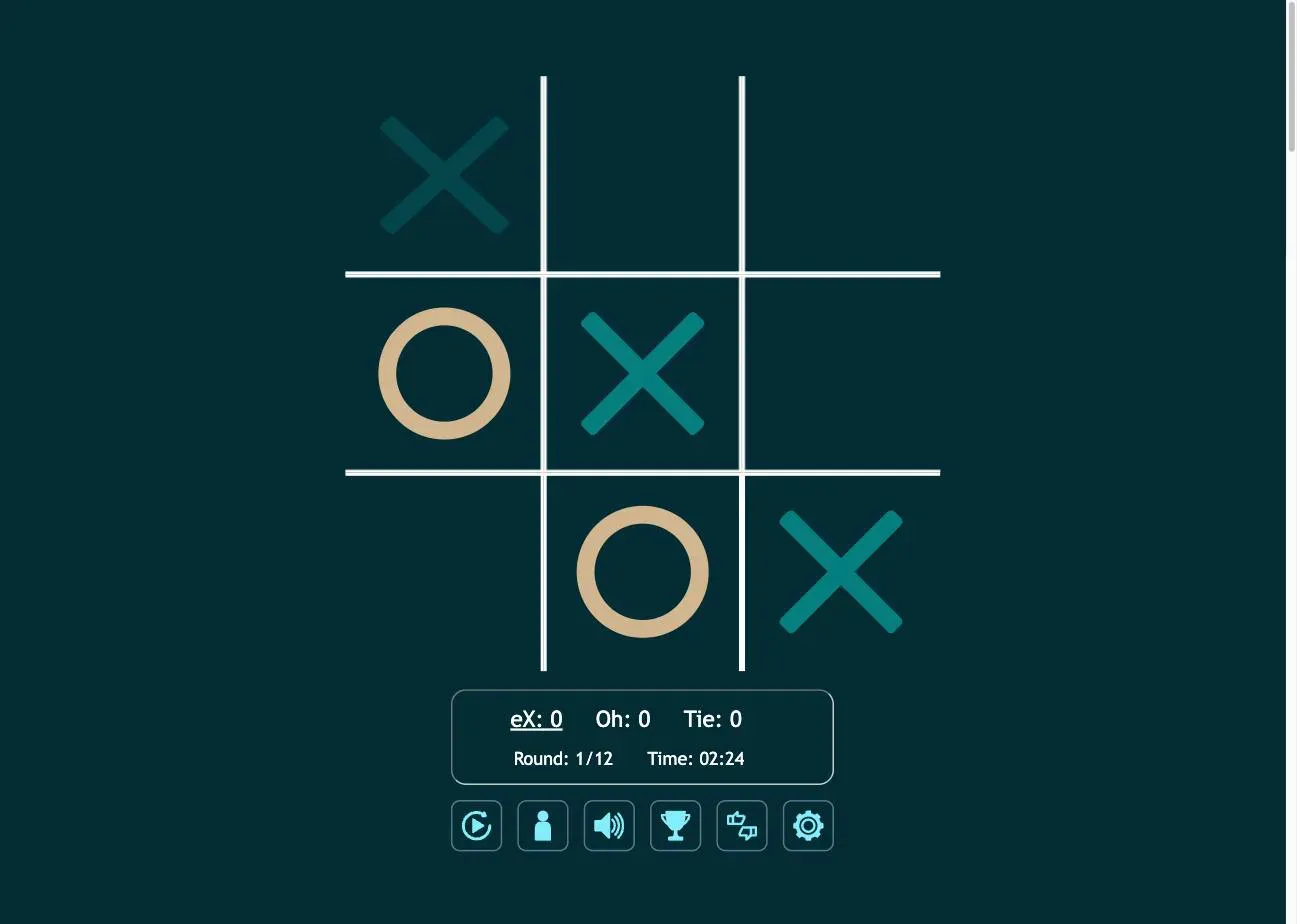
The scoreboard under the board tracks three running totals (X wins, O wins and ties) plus the round number and a match timer. The underlined score is the side whose turn it is.
Choose Your Opponent
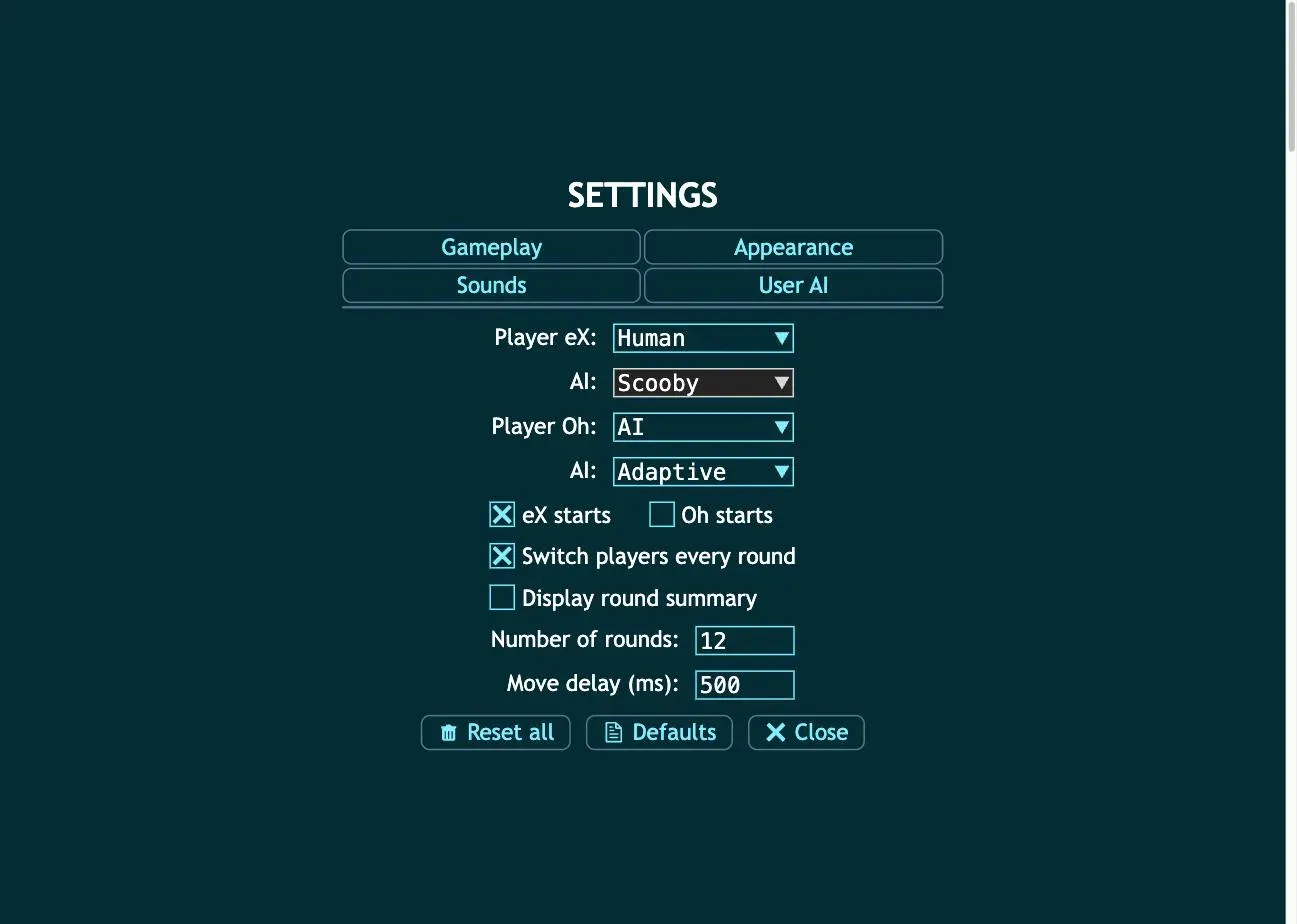
Open Settings → Gameplay and you can set each seat, Player eX and Player Oh, to Human or AI independently. That gives three ways to play:
| Setup | What you get |
|---|---|
| Human vs AI | The default. You are X, the computer is O |
| Human vs Human | Two people, one device, taking turns |
| AI vs AI | Set both seats to AI and watch two engines play each other |
Each AI seat has its own difficulty, chosen from eight settings:
| Level | Behavior |
|---|---|
| Goofy | Barely tries — the gentlest setting on the board |
| Scooby | Casual play with obvious mistakes |
| Random | Picks any open square with no plan at all |
| Easy | Blocks sometimes, plans rarely |
| Medium | Solid basic play |
| Hard | Punishes loose openings |
| Impossible | Perfect play — the best you can get is a draw |
| Adaptive | Adjusts its strength to how well you are playing |
Most sites that let you play Tic Tac Toe against a computer give you one "hard mode" toggle, or a difficulty count with no names attached. Eight labeled opponents plus an adaptive setting is a different kind of control: you can pick the exact level where the game stays interesting instead of being either trivial or unwinnable.
Write your own AI
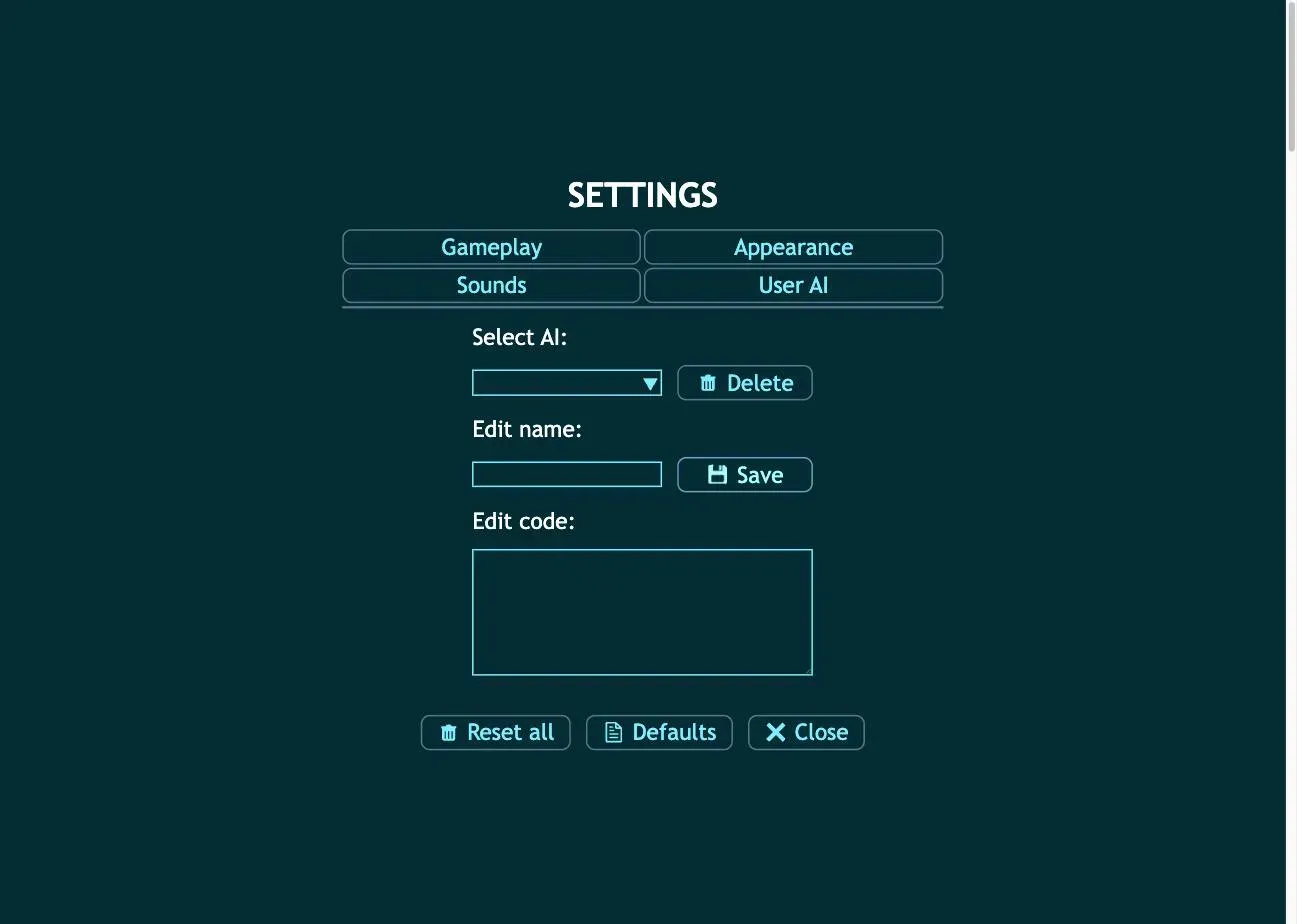
The Settings → User AI tab goes a step further. You can create an opponent, give it a name, edit its code, and save it, then select it as the AI for either seat and play against something you wrote yourself.
Strategy That Actually Works
Perfect play from both sides ends in a draw, so real strategy here is about creating chances for your opponent to slip, and never handing them one.
Count the lines. The board is nine points crossed by three horizontal, three vertical and two diagonal lines (Wikipedia). Trace them and the squares rank themselves: the center sits on four of those eight lines, each corner on three, each edge square on only two. That ranking (center, corner, edge) decides most of what follows.
Opening as X. A corner is the strongest practical opening, because "playing the corner gives the opponent the smallest choice of squares which must be played to avoid losing" (Wikipedia) — against a corner, only the center saves them, and anything else loses. Opening in the center is also sound, but it leaves your opponent more drawing replies to stumble into.
Answering as O. Take the center if it is free. If X already took it, take a corner. Follow that one rule and you will never lose a round you should have drawn.
Win with a fork. You cannot win against sound defense by chasing a single line. You win by making one move that opens two threats at once, and your opponent can only block one. Two corners on the same diagonal, with the center yours, is the classic shape.
Block before you build. Every turn, check whether your opponent has two in a row with the third square open. If they do, that square is your move, whatever else you had planned.
If you want to see the recommended move rather than work it out, the game shows a dimmed mark on the square it suggests whenever it is your turn.
Make It Yours
The Appearance tab carries seven color pickers for X, O, text, background, two accent colors and the grid itself, so you can rebuild the board's palette from scratch, including for contrast. You can also set how strongly the hint shows, pick move, win and hint animations, or switch all of them off for a plain, fast board. A separate Sounds tab assigns audio to four different game events, and the speaker icon mutes everything in one click.
Under Gameplay, the match itself is adjustable: change the round count from its default of 12, choose whether X or O opens, turn off the automatic side-switching between rounds, show a summary at the end of each round, or slow the AI's response down if its moves land too fast to follow.
How We Checked This Page
Every feature described above was measured by playing this exact build, not read off a spec sheet. On August 19, 2026 we opened the game, worked through all four Settings tabs, and recorded what we found: the eight AI names in the difficulty dropdown, the independent Human/AI selector on each seat, a default match length of 12 rounds, a 500 ms AI move delay, seven color pickers in Appearance, four assignable sound events, and the code editor on the User AI tab. The three screenshots on this page come from that session and are dated in their captions.
We also played a full round rather than only reading menus. We opened in the center, the Adaptive AI answered on the middle-left, and we closed the top-left–center–bottom-right diagonal to win. The three winning squares lit up, the losing marks dimmed, the score moved to 1–0, and the board reset itself to round 2 of 12 — with O opening instead of X, which is the "switch players every round" setting doing its job. That is how we know the starting-player alternation described above is real behavior and not just a checkbox label.
Two limits are worth stating plainly. We tested on desktop in a single session, so we make no claims about long-term progression or about anything under the Best scores panel. And we have not built a custom opponent in the User AI editor — we confirmed the editor exists and that it saves a named AI, not how capable a hand-written one can be.
Start Playing
Scroll back to the board and click a square. If the default opponent feels wrong, open Settings and move the difficulty. Pick Goofy to warm up, or Impossible to find out how good your defense really is.